
Test Your Chatbot in Sandbox Mode
In this article
Access sandbox mode
⚠️ Important: Your bot must have a crawl and a dataset attached in order for Sandbox Mode to work.
To test your chatbot in a safe, private environment:
- In the left sidebar, go to the Bots tab
- Click into the bot you want to test
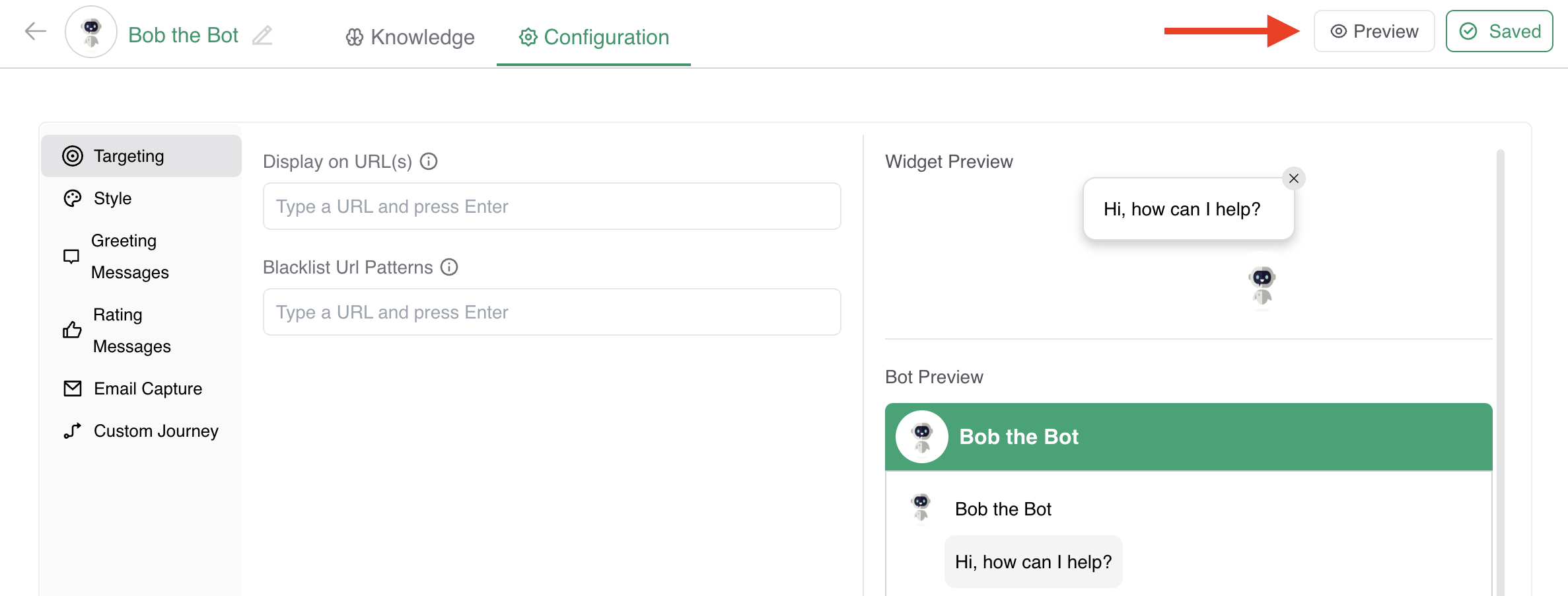
- In the top right, click Preview
This opens a new tab where you'll see your chatbot in the bottom right corner of the screen.
Test your chatbot
In Sandbox Mode, you can interact with your bot just like a user would:
- Ask questions to test how the chatbot responds
- Confirm that trained answers are triggered correctly
- Validate that fallback and unknown answer handling is working
- Check what information the bot is pulling from your crawls to ensure it's referencing the right content
💡 This hands-on testing helps verify that the chatbot behaves as expected before launch.
Share the sandbox with others
💡 Need help testing your chatbot? You can easily share the sandbox with others.
- Copy the Sandbox URL from your browser
- Share it with colleagues or stakeholders
Each tester is tracked uniquely, allowing you to analyze individual test interactions later.
View sandbox analytics
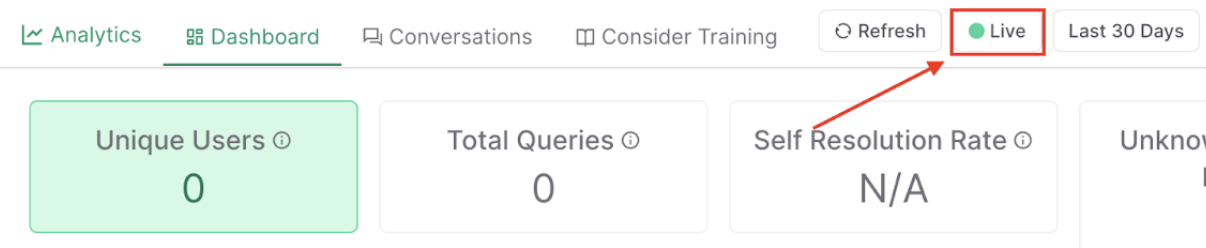
To see how your chatbot performed during testing:
-
In the left sidebar, click the Analytics tab
In the upper right, click the Live button to switch to Sandbox mode
Review key performance data such as:
- Queries asked
- Self-resolution rate
- Unknown answer rate
- What the chatbot got wrong and needs to be corrected
💡 This gives you clear insights into any weak spots that may need further training before your bot goes live.