
Collect Emails from Conversations
Turn on email capture
- Open the bot you to collect emails for
- At the top, click the Configuration tab
- Find the Email Capture section & toggle the switch on
Customize your email prompt
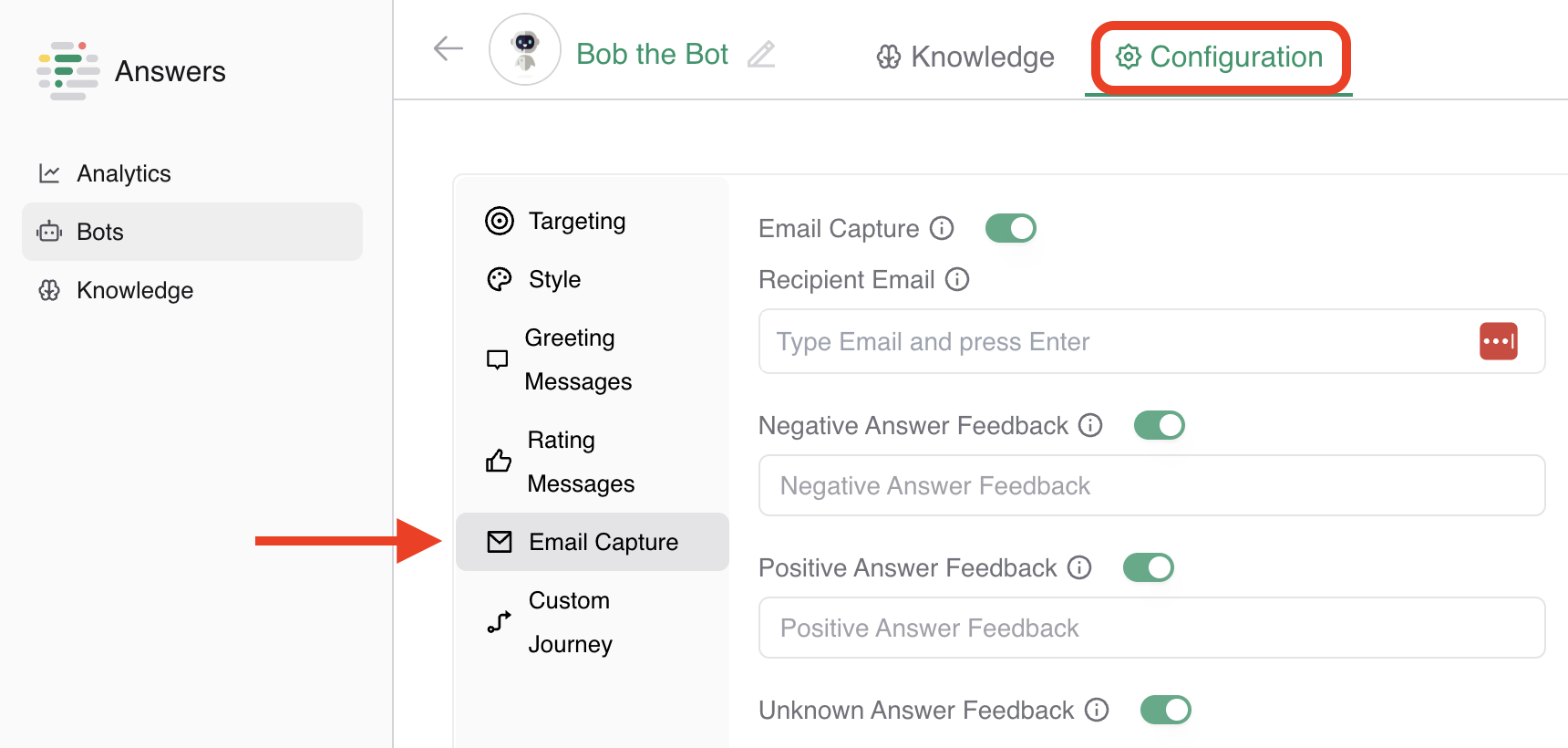
In the Email Capture section, you’ll see 4 options you can toggle on & off:
- Recipient Email: Enter the email address where notifications should be sent
- Negative Answer Feedback: Add a call to action to prompt users to leave their email after an unsatisfactory response
- Positive Answer Feedback: Add a call to action for users to leave their email after a helpful interaction
- Unknown Answer Feedback: Choose whether to show the email prompt when the chatbot doesn't understand the user
Save and activate
Once you've finished:
- Click the green Save button in the upper right corner
- Your chatbot will now begin prompting users to leave their email, based on your settings